Why TV Screens Are Easy to Damage
Flat-panel TVs — LCD, LED, OLED, QLED — have plastic panels with a soft anti-reflective coating on the surface. The coating is what cuts glare, deepens blacks, and delivers the modern picture quality you paid for. Unfortunately, the coating is also easy to ruin. Ammonia-based cleaners like Windex dissolve the coating. Paper towels and tissues contain wood fibers that create micro-scratches. Too much liquid drips into the frame and damages the electronics. Pressing too hard on the screen creates pressure spots that can damage LCD pixels permanently. The correct method uses a dry microfiber first, then a barely damp one if needed, and almost no liquid. Think of it as dusting, not scrubbing.
What You'll Need
- Two microfiber cloths — clean, soft, lint-free.
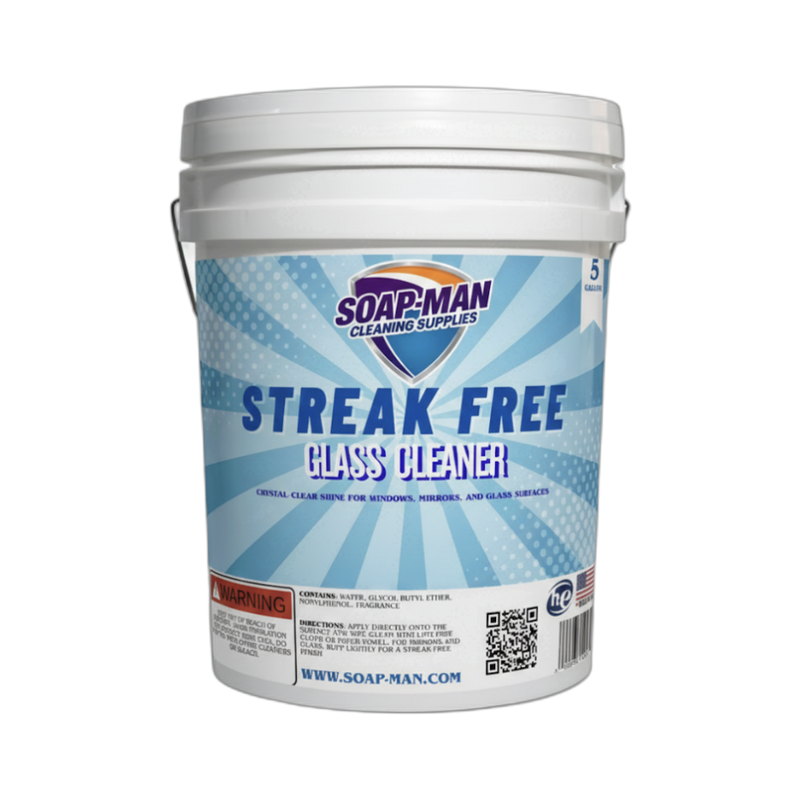
- Screen-safe cleaner — Streak-Free Glass Cleaner (ammonia-free) or distilled water.
- Soft brush or feather duster — for pre-cleaning dust removal.
- Cotton swabs — for the bezel and edges.
Step-by-Step: How to Clean a TV Screen
Step 1: Turn Off and Unplug the TV
Power down the TV completely and unplug it from the wall. A dark screen shows every smudge clearly, so you can target exactly where cleaning is needed. Unplugging also eliminates electrical risk if liquid accidentally runs down the screen, and it prevents you from touching hot areas near the backlight or processor exhaust vents. Let the TV cool for 5 minutes if it has been running.
Step 2: Dust the Screen With a Dry Microfiber
Wipe the screen gently in slow sweeping motions with a dry clean microfiber cloth. Work from top to bottom using very light pressure — let the weight of the cloth do the work. Dust and lint come off easily without introducing moisture. For large TVs, work in sections of roughly 2 square feet at a time. A soft feather duster or a dry soft-bristled brush can help clear dust from the edges and corners of the frame.
Step 3: Dampen a Second Cloth for Fingerprints and Smudges
For fingerprints and oil smudges that the dry cloth did not lift, very lightly mist Streak-Free Glass Cleaner onto the second microfiber — not onto the screen. The cloth should be damp, not wet. If you can wring out a drop of liquid, it is too wet. Gently wipe the smudged areas in straight strokes. Do not press hard. Do not scrub in circles. Do not make repeated back-and-forth motions; each stroke should remove the smudge in one or two passes.
Step 4: Buff With the Dry Cloth Again
Finish by wiping the entire screen one more time with the dry microfiber cloth. This catches any residual moisture, picks up streaks before they dry into the surface, and buffs the coating to a clean even finish. Take your time on the final pass — any streaks left behind will be visible once the TV is powered on. Also wipe down the bezel, the frame edges, and the top of the TV stand while the dry cloth is still clean.
Pro Tips
- Never spray cleaner directly on the screen. Liquid running down into the bezel can seep behind the front panel and damage the electronics. Always apply cleaner to the cloth, never the TV. This is the number-one rule of screen cleaning.
- Check the manufacturer's cleaning guide for high-end OLEDs. Some OLED manufacturers specifically warn against certain cleaners and recommend only distilled water on a microfiber. When in doubt, use the gentlest possible method — distilled water alone.
- Never use paper towels, newspaper, or tissues. Paper-based products contain wood fibers that scratch the anti-glare coating. Only use dedicated microfiber cloths for screens.
FAQ
Can I use eyeglass cleaner on a TV screen?
Most eyeglass cleaners are safe for TV screens because they are ammonia-free and designed for plastic lenses. Spray on the cloth, wipe gently. However, a dedicated screen-safe cleaner or distilled water is always the safest choice for an expensive OLED or QLED.
What about the pre-moistened screen wipes sold in stores?
Those labeled specifically for LCD/LED/OLED screens are safe. Avoid "all-purpose electronics wipes" that may contain alcohol or ammonia. Always check the ingredients — "ammonia-free" and "alcohol-free" are key phrases for TV screens.
My TV screen has stubborn smudges that will not come off. What should I try?
Try distilled water on a microfiber cloth, used with firmer (but not hard) pressure. Multiple light passes work better than one hard scrub. If a smudge still will not lift, a solution of 50/50 distilled water and white vinegar on the cloth can help dissolve stubborn skin oils. Never use glass cleaner with ammonia.
I just cleaned my TV and now there are permanent marks. What happened?
If the marks appeared after using a cleaner, the anti-glare coating is damaged — likely from ammonia or a harsh chemical. Unfortunately, once the coating is compromised, the damage is permanent. The TV still works, but those areas will always look cloudy or blotchy. This is why screen-safe cleaners matter.